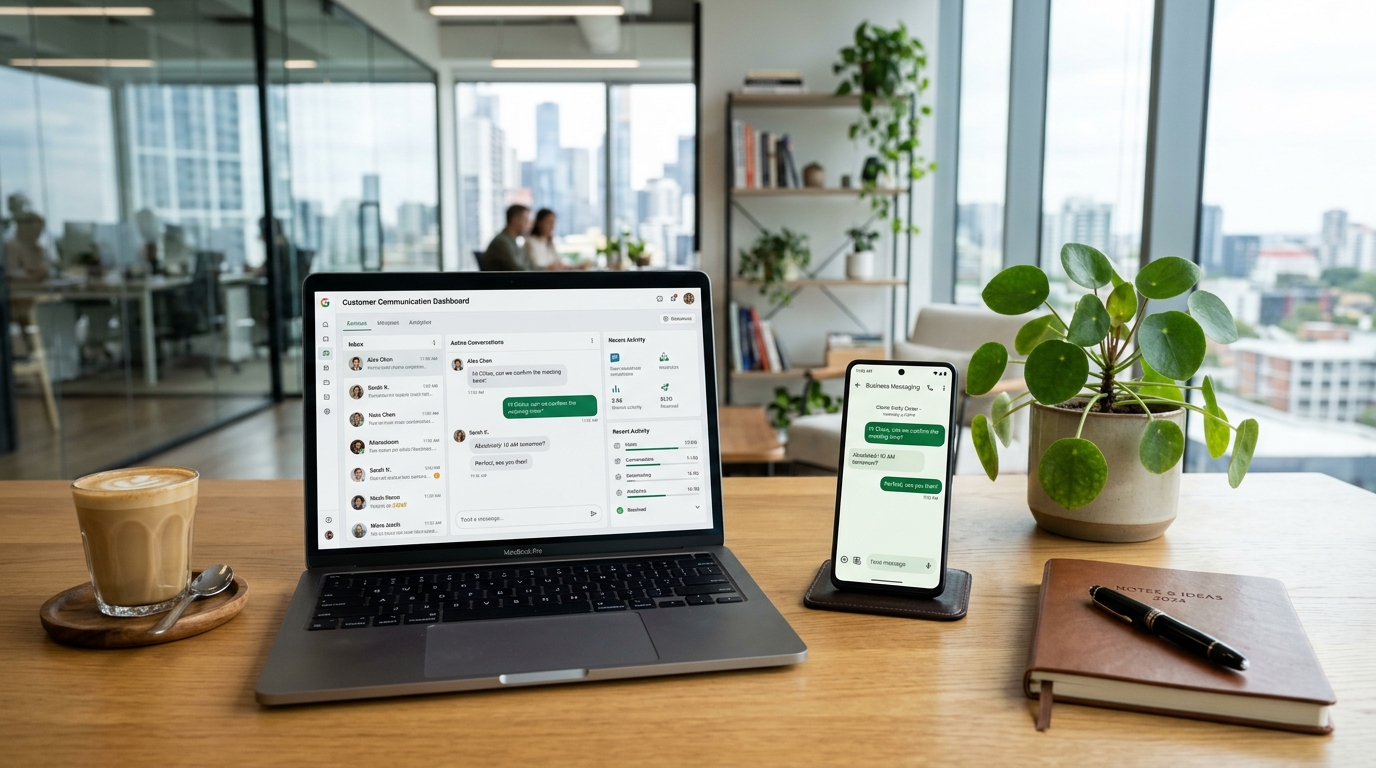
WhatsApp has become one of the most popular communication platforms for businesses worldwide. Companies use it to communicate with customers, answer questions, send order updates, share product information, confirm bookings, and provide customer support. As businesses grow, managing these conversations manually can become difficult. This is where the WhatsApp Business API becomes useful.
However, before using this platform, businesses need to understand WhatsApp Business API pricing, available features, message charges, and additional service costs. Unlike the regular WhatsApp Business application, the API is designed for businesses that need advanced communication tools, automated messaging, customer relationship management (CRM), and large-scale customer support.
The pricing structure can seem confusing because costs depend on several factors, including the destination country, message category, number of delivered messages, and the service provider a business chooses.
This guide explains how WhatsApp Business API pricing works, what businesses pay for different message types, which features are available, and how companies can manage their messaging expenses effectively.
What Is WhatsApp Business API?
WhatsApp Business API, also known as the WhatsApp Business Platform, is a business communication solution that allows companies to connect WhatsApp with their existing software, customer support systems, websites, and automation tools.
Unlike the standard WhatsApp Business application, the API is designed for businesses that need to manage a larger number of customer conversations.
It allows multiple employees to handle customer inquiries, automated systems to send notifications, and businesses to connect messaging activities with other business applications.
How Does WhatsApp Business API Work?
The WhatsApp Business API works by connecting a company’s communication system with the WhatsApp Business Platform.
A business can use the API directly through a supported technical integration or work with a Business Solution Provider (BSP) that offers an easier setup and management experience.
The general process includes:
- A business creates or connects an eligible business account.
- It registers a business phone number for API messaging.
- The business configures its messaging system or selects a service provider.
- Message templates are created and submitted for approval when required.
- Customers communicate with the business through WhatsApp.
- The business manages conversations through its connected software or customer support platform.
Who Should Use WhatsApp Business API?
The API is particularly useful for businesses that receive many customer messages or need automated communication.
Common users include:
- E-commerce stores that send order confirmations and delivery updates.
- Banks and financial service providers that send account notifications and verification messages.
- Travel agencies that share booking information and travel updates.
- Healthcare providers that manage appointment reminders.
- Educational institutions that communicate with students and parents.
- Retail companies that send product information and promotional messages.
- Customer support teams that manage conversations across multiple employees.
Small businesses can also use the API, but they should evaluate their communication requirements and total costs before choosing it.
WhatsApp Business API Pricing Explained
WhatsApp Business API pricing is primarily based on messages delivered to customers. Businesses are charged according to the applicable message category and the destination market.
This means there is no single worldwide price for every WhatsApp message.
A marketing message delivered to a customer in one country may have a different rate from the same message delivered to a customer in another country.
How WhatsApp Business API Charges Businesses
The main factors affecting WhatsApp API costs include:
- Message category: Marketing, utility, authentication, and service messages have different pricing rules.
- Customer location: Rates depend on the country or market associated with the recipient’s phone number.
- Message volume: Eligible utility and authentication messages may receive volume-based discounts.
- Delivery status: Charges generally apply to messages that are successfully delivered rather than simply submitted for sending.
- Service provider fees: Third-party providers may charge additional subscription, platform, or usage fees.
Is WhatsApp Business API Free or Paid?
WhatsApp Business API is not completely free. Businesses may need to pay message charges and additional fees for software, integrations, or service provider subscriptions.
However, some messaging activities have free allowances or special pricing conditions.
For example, incoming messages from customers are not charged as business-delivered messages. Certain customer service messages may also qualify for a monthly free allowance.
The regular WhatsApp Business application and WhatsApp Business API are different products. Businesses should not assume that the free features of the regular application are available under the same conditions through the API.
Four WhatsApp Business API Message Categories
WhatsApp divides business messaging into four main categories. Understanding these categories is important because each one serves a different purpose and has its own pricing rules.

| Message Category | Main Purpose | Common Examples |
|---|---|---|
| Marketing | Promotions and customer engagement | Discounts, product launches, special offers |
| Utility | Transactional updates | Order confirmations, payment notifications |
| Authentication | Identity verification | Login codes, OTPs, account verification |
| Service | Customer support | Answers to customer questions and assistance |
Marketing Messages
Marketing messages are used to promote products, services, offers, and business activities.
Businesses commonly use these messages to reach existing customers, encourage purchases, and introduce new products.
Examples include:
- Special discount announcements.
- Seasonal promotional campaigns.
- New product announcements.
- Limited-time offers.
- Personalized product recommendations.
- Promotional event invitations.
Marketing messages are generally charged according to the applicable destination market rate.
Businesses should also follow messaging consent requirements and applicable marketing policies when sending promotional content.
Utility Messages
Utility messages provide important information about a transaction, service, or activity requested by a customer.
These messages are not primarily designed to promote products or encourage additional purchases.
Examples include:
- Order confirmation messages.
- Shipping and delivery updates.
- Payment confirmations.
- Appointment reminders.
- Booking confirmations.
- Account activity notifications.
Utility messages must meet the applicable classification requirements. Adding promotional content to a transactional notification may result in it being classified differently.
Authentication Messages
Authentication messages help businesses verify customer identities and protect accounts.
They are commonly used when customers sign in, register for an account, or complete sensitive activities.
Examples include:
- One-time passwords (OTPs).
- Login verification codes.
- Account registration codes.
- Password reset codes.
- Identity verification messages.
Authentication messaging is particularly important for banking applications, financial services, e-commerce platforms, and other businesses that require secure account access.
Service Messages
Service messages are used to respond to customers who contact a business through WhatsApp.
These messages help companies provide customer support and answer questions without requiring customers to use a separate communication channel.
Examples include:
- Answering product questions.
- Helping customers track orders.
- Explaining payment issues.
- Resolving complaints.
- Providing technical assistance.
- Connecting customers with support representatives.
A customer message opens a 24-hour customer service window. However, businesses should understand the updated pricing rules effective October 1, 2026.
Under the updated structure, the first 1,000 eligible service messages per business phone number each calendar month are free. Additional service messages may be charged at the applicable market rate.
WhatsApp Business API Pricing by Message Type
The actual cost of WhatsApp Business API messages depends on the recipient’s country and message category.
There is no universal rate that applies to every country. Businesses targeting international customers should calculate their expenses using the relevant destination markets.
Understanding Per-Message Pricing
Under the per-message pricing model, businesses pay for eligible messages delivered to customers.
For example, a company that sends promotional messages to 5,000 customers may have different expenses from a company sending 5,000 order updates.
The difference depends on the message category and applicable rates.
The following table explains the general pricing structure.
| Message Type | Pricing Structure | Typical Use |
|---|---|---|
| Marketing | Paid per delivered message | Promotional campaigns |
| Utility | Paid per delivered message | Transactional updates |
| Authentication | Paid per delivered message | OTP and verification |
| Service | Free allowance, then applicable charges | Customer support |
Why Do WhatsApp Message Rates Differ by Country?
WhatsApp Business API rates vary by destination market.
For example, businesses sending messages to customers in the United States, United Kingdom, Canada, Australia, India, or other countries may have different costs.
The recipient’s phone number country code determines the applicable market.
A business operating from one country may therefore pay different message rates when communicating with customers in multiple international markets.
This is particularly important for companies that operate international online stores or serve customers across different regions.
WhatsApp Business API Pricing Examples
Understanding practical pricing examples can help businesses estimate their messaging budgets.
The following examples are illustrative calculations rather than official WhatsApp rate quotations. Actual costs depend on the latest rates for each destination market.
Example 1: Small Business Messaging Costs
Imagine a small online store that sends the following messages each month:
- 1,000 promotional messages.
- 1,500 order notifications.
- 500 authentication messages.
- 1,200 customer support replies.
The business would first identify the applicable rates for its customers’ countries and calculate the cost of each category.
For service messages, it would also account for the first 1,000 free messages per business phone number.
Example 2: Growing E-Commerce Business
A growing online store may have a larger messaging requirement.
| Message Category | Monthly Messages |
|---|---|
| Marketing | 10,000 |
| Utility | 8,000 |
| Authentication | 2,000 |
| Service | 5,000 |
| Total | 25,000 |
The company should calculate the charges separately for each category rather than applying one average rate to all 25,000 messages.
It should also consider the service provider’s fees and any additional software expenses.
Example 3: International Business
An international company may communicate with customers in several countries.
For example, it might send messages to customers in:
- United States
- United Kingdom
- Canada
- Australia
- Germany
- India
Because each destination market may have different rates, the business should separate its messaging volume by country before estimating the monthly budget.
This approach provides a more realistic understanding of international WhatsApp messaging expenses.
Additional WhatsApp Business API Costs
WhatsApp message charges are not necessarily the only expenses businesses need to consider.
Many companies use third-party software to manage their WhatsApp communication. These platforms can introduce additional costs depending on their features and pricing structure.
Business Solution Provider Fees
A Business Solution Provider (BSP) helps companies access and manage the WhatsApp Business Platform.
Some providers offer ready-to-use dashboards, automation tools, customer support systems, and technical assistance.
Their pricing models may include:
- Monthly or annual subscriptions.
- Per-user charges.
- Additional messaging fees.
- Integration charges.
- Premium support fees.
- Automation or chatbot charges.
Some providers add a markup to WhatsApp messaging rates, while others charge separate platform fees.
Businesses should understand exactly what is included before selecting a provider.
Software Subscription Costs
Some businesses need additional software to manage their communication activities.
For example, a customer support platform may provide a shared inbox, team management, reporting, and conversation assignment features.
A CRM platform may offer customer profiles, sales tracking, and automated follow-ups.
Depending on the software, businesses may pay a monthly subscription or a usage-based fee.
Integration and Setup Costs
Businesses that want to connect WhatsApp with existing applications may require technical assistance.
Integration costs can depend on the complexity of the project.
Common integration requirements include:
- Connecting WhatsApp with a CRM system.
- Integrating an online store.
- Building automated workflows.
- Connecting payment or booking systems.
- Setting up a customer support dashboard.
- Developing custom API connections.
Simple integrations may require limited technical work, while complex business systems can involve higher implementation expenses.
Additional Operational Costs
Businesses should also consider other expenses that may affect their total budget.
These can include:
- Staff salaries for customer support.
- Chatbot development and maintenance.
- Customer data management.
- Software training.
- Technical maintenance.
- Applicable taxes and currency conversion charges.
WhatsApp Business API Pricing vs WhatsApp Business App
Businesses often confuse WhatsApp Business API with the regular WhatsApp Business application.
Although both products support business communication, they serve different requirements.
| Feature | WhatsApp Business App | WhatsApp Business API |
|---|---|---|
| Main Purpose | Small business communication | Advanced business messaging |
| Setup | Simple application setup | Business and technical setup |
| Multiple Agents | Limited shared-device options | Supports integrated team inboxes |
| Automation | Basic features | Advanced integrations and automation |
| CRM Integration | Limited | Supported through integrations |
| Bulk Messaging | Limited broadcast functionality | Approved template-based messaging |
| Pricing | Free application | Message and possible provider charges |
| Scalability | Suitable for smaller operations | Designed for larger communication needs |
Which Option Is Better for Small Businesses?
The WhatsApp Business application may be enough for a small shop, freelancer, or local service provider that receives a manageable number of messages.
It offers basic business communication features without requiring a complex technical setup.
However, businesses that need multiple agents, advanced automation, CRM integration, and large-scale customer communication may benefit from the API.
Which Option Is Better for Large Businesses?
The WhatsApp Business API is generally more suitable for companies that need to manage many customer conversations.
It allows businesses to connect messaging with their existing systems and develop more structured communication workflows.
However, the best option depends on the company’s operational requirements, available budget, and expected messaging volume.
Important Features of WhatsApp Business API
WhatsApp Business API offers several features that help businesses improve customer communication.
Automated Messaging
Automation allows businesses to send predefined messages based on customer activities.
For example, an online store can automatically send an order confirmation after a customer completes a purchase.
Other possible automated messages include:
- Booking confirmations.
- Shipping notifications.
- Appointment reminders.
- Payment updates.
- Account verification codes.
Automation can reduce repetitive work and help businesses communicate more efficiently.
Shared Team Inbox
A shared inbox allows multiple employees to manage customer conversations through one connected system.
This is useful for businesses with separate sales, support, and customer service departments.
Employees can respond to messages, assign conversations, and manage customer inquiries without relying on one person’s device.
Message Templates
Message templates allow businesses to send structured messages for specific purposes.
Templates are particularly important for business-initiated communication outside the 24-hour customer service window.
They must meet the applicable requirements and receive approval before use.
Common template examples include:
- Order confirmation templates.
- Delivery notification templates.
- Appointment reminder templates.
- Promotional offer templates.
- Authentication templates.
CRM Integration
CRM integration helps businesses connect WhatsApp conversations with customer records.
This makes it easier to understand previous interactions, manage leads, and maintain customer relationships.
For example, a sales representative can view a customer’s previous inquiries before responding to a new message.
Analytics and Reporting
Businesses can use reporting tools to understand their messaging performance.
Depending on the connected platform, available reports may include:
- Messages sent and delivered.
- Message delivery rates.
- Read rates.
- Customer response times.
- Conversation volumes.
- Team performance.
- Campaign engagement.
These insights can help companies improve their communication strategy.
How to Calculate Your WhatsApp Business API Budget
Before choosing a WhatsApp API provider, businesses should estimate their expected monthly expenses.
A simple budgeting process can prevent unexpected charges.

Step 1: Identify Your Target Countries
First, determine where your customers are located.
If most of your customers are in one country, you can use that destination market’s rates for your initial estimate.
If you serve international customers, divide your expected messaging volume by country.
Step 2: Estimate Monthly Message Volume
Calculate how many messages your business expects to deliver each month.
Separate them into marketing, utility, authentication, and service categories.
This will help you understand which message types contribute most to your expenses.
Step 3: Check the Applicable Message Rates
Use the latest rate information for each destination market.
Do not rely on old pricing examples because WhatsApp can revise rates and pricing conditions.
Also check whether volume-based discounts apply to your expected utility and authentication message volume.
Step 4: Include Provider and Software Fees
If you use a third-party provider, review its subscription and additional charges.
Ask whether the advertised plan includes:
- WhatsApp message charges.
- Shared inbox access.
- Chatbot automation.
- CRM integration.
- Multiple users.
- Analytics and reporting.
- Technical support.
Step 5: Calculate Your Total Monthly Budget
The following formula provides a simple way to estimate your monthly WhatsApp API expenses:
Total Monthly Cost = Message Charges + Provider Fees + Software Subscription + Integration Costs + Other Applicable Expenses
This calculation helps businesses understand the overall cost rather than focusing only on individual message rates.
Best Ways to Reduce WhatsApp Business API Costs
Managing WhatsApp expenses is important for businesses that communicate with customers regularly.
A well-planned messaging strategy can reduce unnecessary spending while maintaining a good customer experience.
Send Relevant Messages
Businesses should send messages that provide genuine value to customers.
Sending unnecessary promotional messages can increase costs and create a negative customer experience.
Instead, focus on relevant offers, important updates, and useful information.
Use the Correct Message Category
Every message should be classified according to its actual purpose.
For example, an order confirmation should be treated as a utility message rather than a marketing message.
Businesses should avoid adding promotional content to transactional messages simply to use a different category.
Use Automation Carefully
Automation can help reduce repetitive tasks and improve communication efficiency.
However, businesses should review their workflows regularly to prevent duplicate or unnecessary messages.
A properly configured automation system can help companies send relevant updates at the right time.
Take Advantage of Available Free Allowances
Businesses should understand the applicable free messaging allowances and eligible entry points.
For example, incoming customer messages are not charged as business-delivered messages. The first 1,000 eligible service messages per business phone number each month also qualify for the current free allowance.
Understanding these conditions can help businesses manage their messaging budgets more effectively.
Monitor Monthly Usage
Regular monitoring helps businesses identify unusual messaging activity and unnecessary expenses.
Companies should review:
- Total monthly message volume.
- Marketing campaign activity.
- Utility notification volume.
- Authentication requests.
- Service message usage.
- Provider subscription expenses.
This makes it easier to identify areas where spending can be improved.
Compare Different Service Providers
Different providers offer different features, subscription plans, and support options.
Businesses should compare their total costs rather than choosing a platform based only on its advertised monthly price.
A suitable provider should offer the features a business actually needs without unnecessary additional expenses.
How to Choose the Right WhatsApp Business API Provider
Selecting the right service provider is an important decision because it can affect both operating costs and customer communication quality.
Before making a decision, businesses should evaluate several factors.
Pricing Transparency
Choose a provider that clearly explains its subscription fees, messaging charges, and additional costs.
Avoid plans that do not explain how extra usage is billed.
Integration Capabilities
Check whether the provider supports the systems your business already uses.
For example, an e-commerce company may need online store integration, while a service business may need appointment management and CRM connectivity.
Automation Features
Review the available automation options.
Useful features may include automated replies, workflow triggers, message templates, and chatbot integrations.
Security and Data Protection
Customer conversations may contain personal and business information.
Businesses should evaluate security features, access controls, data handling practices, and compliance requirements before selecting a platform.
Customer Support
Reliable technical support can be important when businesses experience integration problems, messaging errors, or account configuration issues.
Check the provider’s support availability and the type of assistance included in its subscription.
Common Mistakes That Increase WhatsApp API Costs
Some businesses spend more than necessary because they do not understand the platform’s pricing rules.
Avoiding common mistakes can help maintain better financial control.
Sending Unnecessary Promotional Messages
Sending frequent promotions to customers who are not interested can waste money and reduce engagement.
Businesses should focus on relevant campaigns and customer preferences.
Ignoring Country-Based Pricing
Companies that operate internationally sometimes calculate their messaging budgets using one country’s rates.
This can produce inaccurate cost estimates.
Always separate message volumes by destination market.
Choosing an Expensive Provider Without Comparing Features
A provider may offer advanced tools that a small business does not need.
Paying for unnecessary features can increase monthly expenses without providing meaningful benefits.
Using Incorrect Message Templates
Templates that do not follow the appropriate classification rules may be rejected or categorized differently.
Businesses should ensure that every template accurately represents its purpose.
Not Monitoring Monthly Usage
Without regular monitoring, a business may not notice excessive message activity or unexpected provider fees.
Monthly usage reviews can help identify problems early.
Frequently Asked Questions (FAQs)
How much does WhatsApp Business API cost?
WhatsApp Business API pricing depends on the message category and the customer’s destination country. Businesses may also pay additional fees to third-party providers for software subscriptions, integrations, and other services.
Is WhatsApp Business API free to use?
No, the API is not completely free. Businesses may have to pay for delivered messages and additional services. However, incoming customer messages and certain eligible service messages have free pricing conditions.
Does WhatsApp Business API charge per message?
Yes. The current pricing model generally charges businesses for eligible messages delivered to customers. The amount depends on the message category and destination market.
What are the four WhatsApp Business API message categories?
The four main categories are marketing, utility, authentication, and service. Each category is designed for a different communication purpose and follows its own pricing rules.
Is WhatsApp Business API pricing the same in every country?
No. WhatsApp Business API rates vary by destination market and message category. Businesses communicating with customers in different countries should calculate costs separately.
Are incoming WhatsApp messages free?
Customers can send messages to a business without the business paying a message-delivery charge for those incoming messages. However, the business may incur charges when sending replies under the applicable pricing rules.
Are WhatsApp utility messages free?
Utility messages are not universally free. Their pricing depends on the applicable market and current pricing rules. Since October 1, 2026, utility template messages sent within an open 24-hour customer service window are also chargeable.
How many WhatsApp service messages are free each month?
The current structure provides 1,000 eligible free service messages per business phone number each calendar month. Additional service messages may incur charges based on the destination market.
Can small businesses use WhatsApp Business API?
Yes. Small businesses can use the API if they need advanced communication features, automation, or integration with other business systems. However, they should compare its costs with the regular WhatsApp Business application before choosing.
What is the difference between WhatsApp Business API and WhatsApp Business App?
The WhatsApp Business application is designed for simpler business communication, while the API supports advanced integrations, automation, shared team inboxes, and larger messaging operations.
Do WhatsApp Business API providers charge extra fees?
Some providers charge additional subscription, setup, usage, or integration fees. These expenses are separate from the applicable WhatsApp message charges, so businesses should review the provider’s pricing carefully.
Can WhatsApp Business API reduce customer support costs?
It can help reduce repetitive work through automation, shared inboxes, and integration with customer support systems. However, the actual savings depend on the business’s message volume, staffing requirements, and software expenses.
Conclusion
WhatsApp Business API is a useful communication solution for businesses that want to manage customer conversations, automate notifications, and improve their customer support operations. However, understanding WhatsApp Business API pricing is essential before implementing the platform.
The total cost depends on several factors, including message categories, destination countries, monthly messaging volume, and third-party provider fees. Businesses should also understand the difference between marketing, utility, authentication, and service messages because each category follows different pricing conditions.
Before selecting a provider, companies should estimate their expected monthly message volume, review available features, compare subscription costs, and consider additional integration expenses.
A well-planned messaging strategy can help businesses control their communication budget while providing customers with timely, useful, and reliable support.
Whether you operate a small online store or a large international company, understanding WhatsApp Business API charges can help you make better decisions and build a more efficient customer communication system.